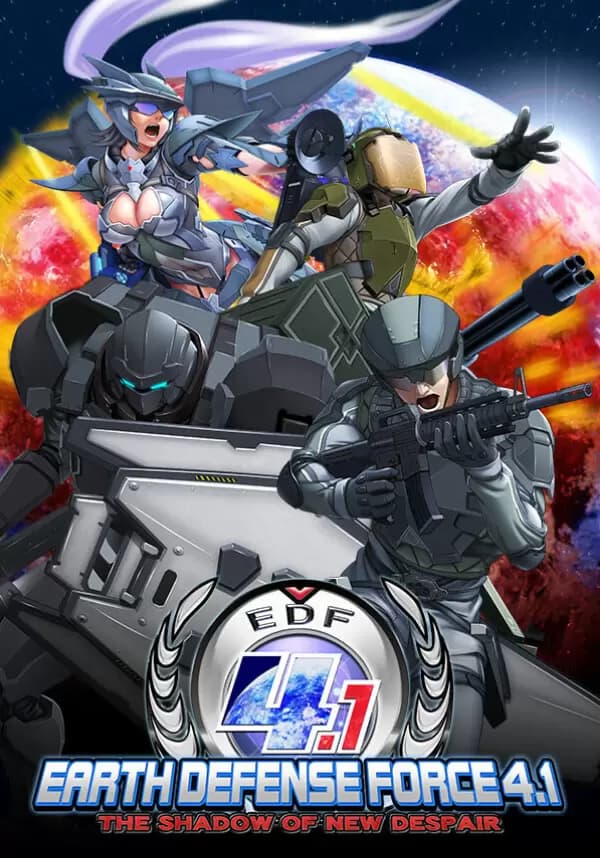
EARTH DEFENSE FORCE 4.1 The Shadow of New Despair
А со СберПрайм можно получить 21 Подключить
Дополнительно при оплате Молодёжной СберКартой 84


The phenomenon that Armor value or Acquisition of weapons of save data is tampered when playing online multi play with specific players
We deeply apologize for any inconvenience this time.
We have got some reports about the title above.
We investigated about it and verified the same phenomenon.
When we played online multi play with specific players who are called cheaters and tamper their game data, our save data became aberrant by obtaining tampered items after the mission.
We will keep investigating about malicious data tampering, but for now, once your save data is tampered, it is impossible to get your data back again.
We would appreciate for your understanding.
As a workaround for customers, since this phenomenon is caused by playing online play with cheaters and completing missions, if you find any cheaters or players who are suspected as cheaters in the online room, we deeply recommend you to leave the room as soon as possible without launching the mission.
In addition, if you find any cheaters or players who are suspected as cheaters during the mission, we also recommend you to leave the mission before you complete it.
About the Game
It's a fight for the future of the planet between the Ravagers, a merciless swarm of alien invaders, and the Earth Defense Force (EDF) in this third-person shooter.
As an EDF soldier you will go head to head in fierce combat against the hordes of giant alien insects and their slaughtering machines.
Play as four different classes in over 80 missions with a range of 800 weapons at your disposal.
The most overwhelmingly numerous forces of Ravagers the series has ever seen will take the EDF fighters to the depths of despair and back!
Online co-op play supported.
Вы получите на электронную почту ключ для активации в сервисе Steam. Активируйте его одним из этих способов.
Способ 1: Через приложение Steam на ПК
1. Откройте приложение Steam на своем компьютере.
В левом верхнем меню нажмите на раздел «Игры».
В выпадающем списке выберите пункт «Активировать в Steam...».
Введите полученный код активации и нажмите «Далее».
Следуйте подсказкам на экране, чтобы завершить активацию.
Всё готово! Игра появится в вашей Библиотеке, и вы сможете начать установку.
Способ 2: Через сайт Steam в браузере
Этот способ удобен, если вы совершили покупку с телефона или другого устройства.
1. Перейдите на страницу активации Steam в своем браузере:
https://store.steampowered.com/account/registerkey
Убедитесь, что вы авторизованы в своем аккаунте Steam.
Введите полученный код активации в специальное поле.
Поставьте галочку, чтобы принять «Соглашение подписчика Steam».
Нажмите кнопку «Продолжить».
Готово! Игра будет привязана к вашему аккаунту и появится в Библиотеке, когда вы в следующий раз запустите клиент Steam.
Важно: Код активируется на том аккаунте Steam, в который вы его ввели. Перенести игру на другой аккаунт будет невозможно.
 Возможно вас заинтересует